Akari NEW Arcade-Style Card Reader - Getting Started
Unboxing
Take the card reader out of the box and connect it to your computer using a USB-C cable.
WARNING
Desktop users: Connect the card reader to a USB port on the back of your computer.
Laptop users: Connect the card reader directly to a USB port on your laptop.
Avoid using a USB hub or dock whenever possible, as it may cause unstable power delivery or communication.
A stable connection is essential for a good experience. Make sure the USB port can provide sufficient power.
Game Setup Guide
Firmware Update Guide
Extract the firmware ZIP archive provided by the after-sales support group, then follow the included instructions to flash the firmware.
You are responsible for any malfunction caused by flashing firmware from an unknown source.
SEGA Games
Automatic Installation
Download and run SeikanIO Installer. Click Install, then follow the on-screen instructions.
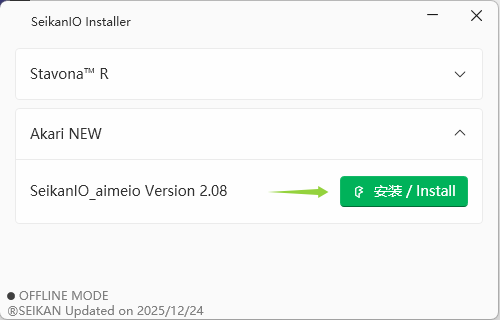
You can launch the game after installation is complete.
Manual Installation
Copy the aimeio library to the directory containing amdaemon.exe. Open segatools.ini in the game directory and locate the [aimeio] section. If the section does not exist, add it manually at the end of the file. Configure it as follows:
[aimeio]
path=SeikanIO_aimeio.dll
BEMANI Games
Lighting
Open Spicetools, switch to the Light tab, and bind the card reader lights as shown below.
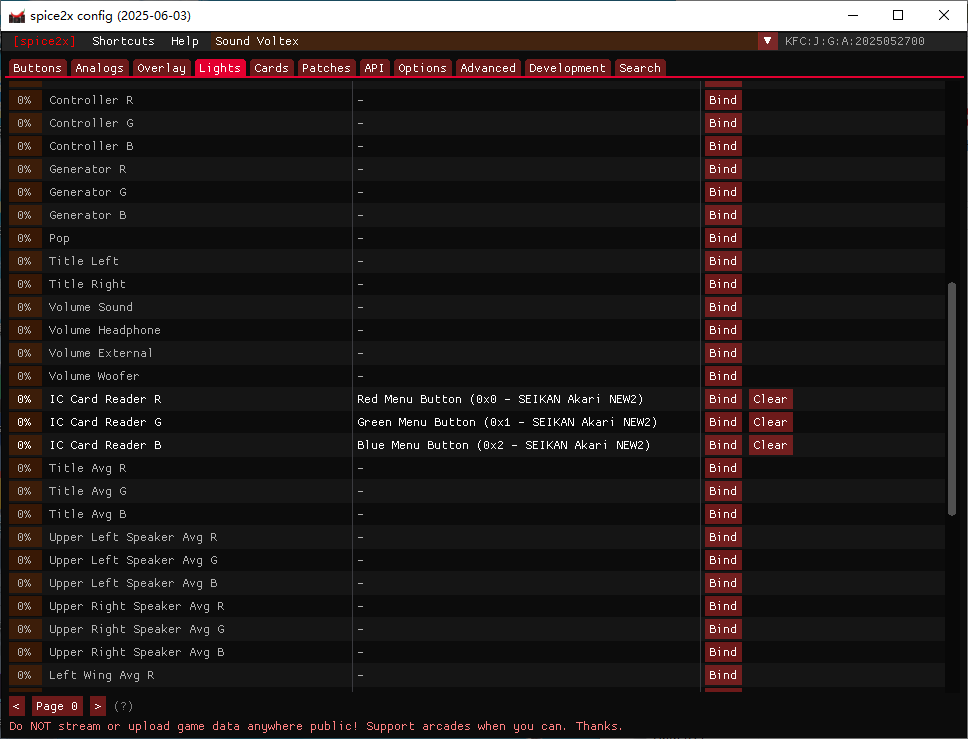
CardIO
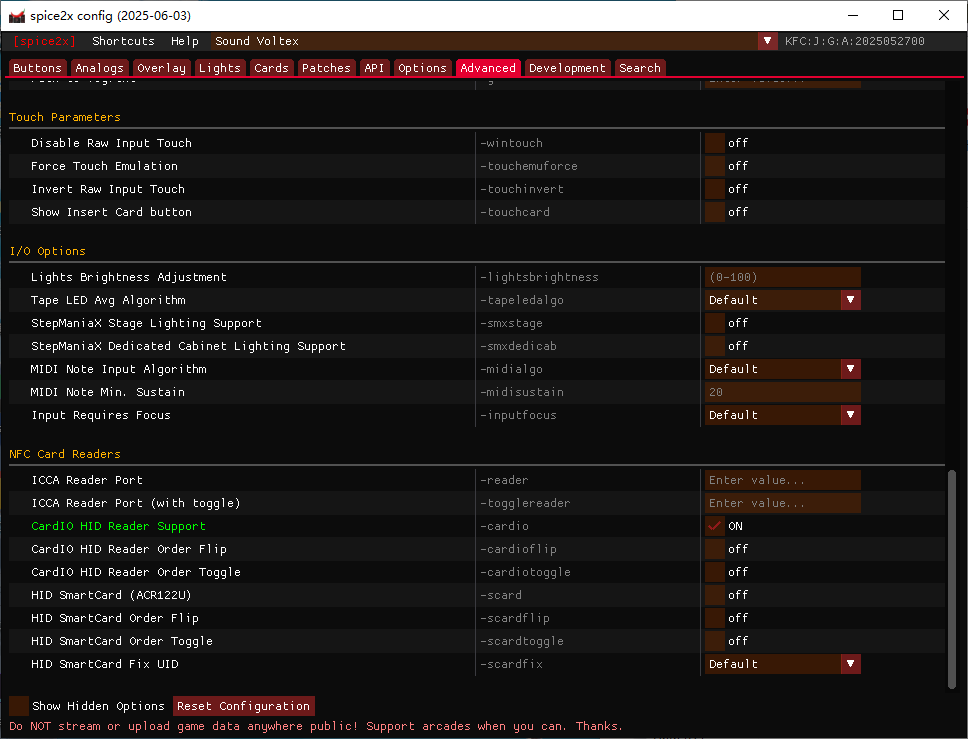
On the Advanced tab, find NFC Card Readers and enable HID CardIO Reader Support.